Cook hands-free. Cook with Kre.
Tell Kre what you're making. It talks you through the recipe one step at a time, and keeps your place when you step away.
Coming to iPhone and iPad.

How it works
-
01
Bring your recipes
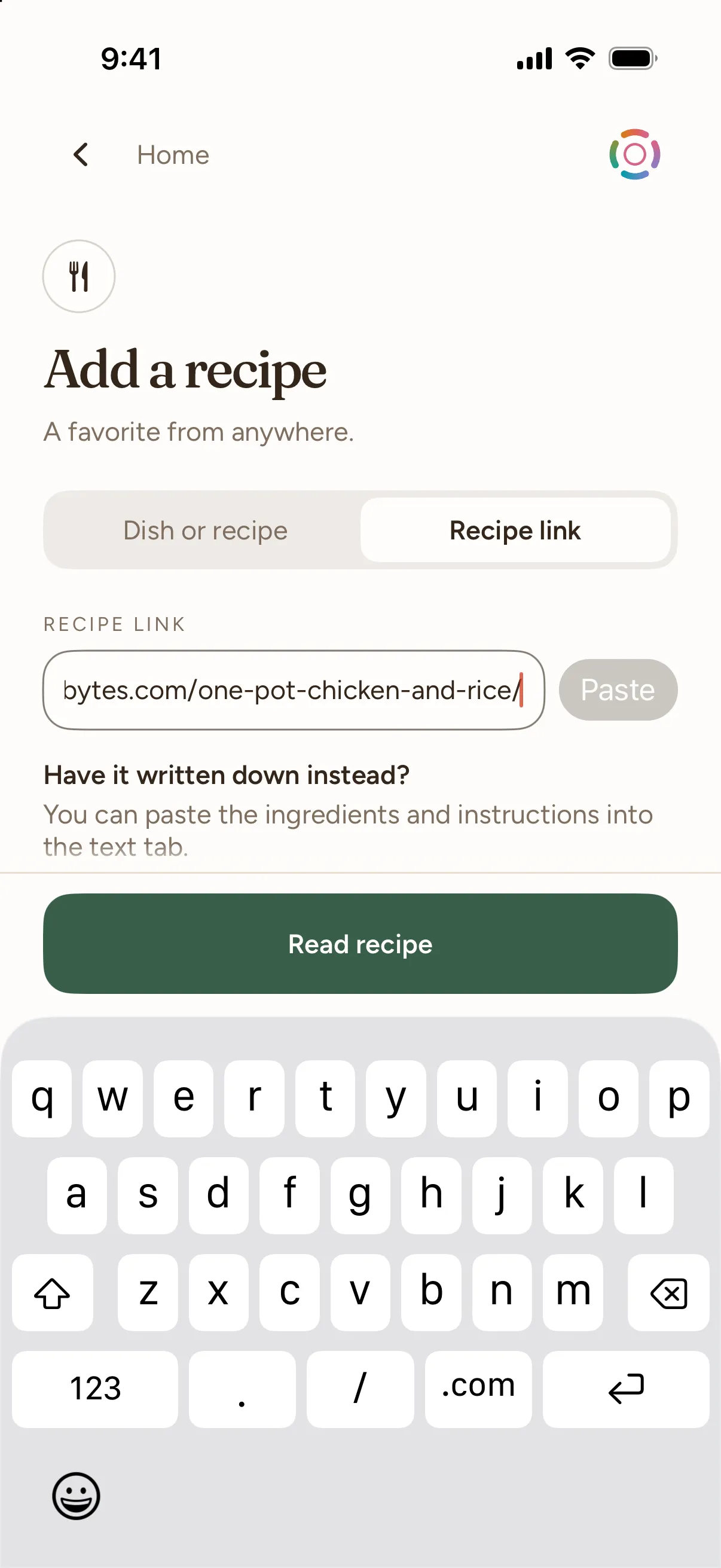
A link, or paste the text.
-
02
Kre plans the meal
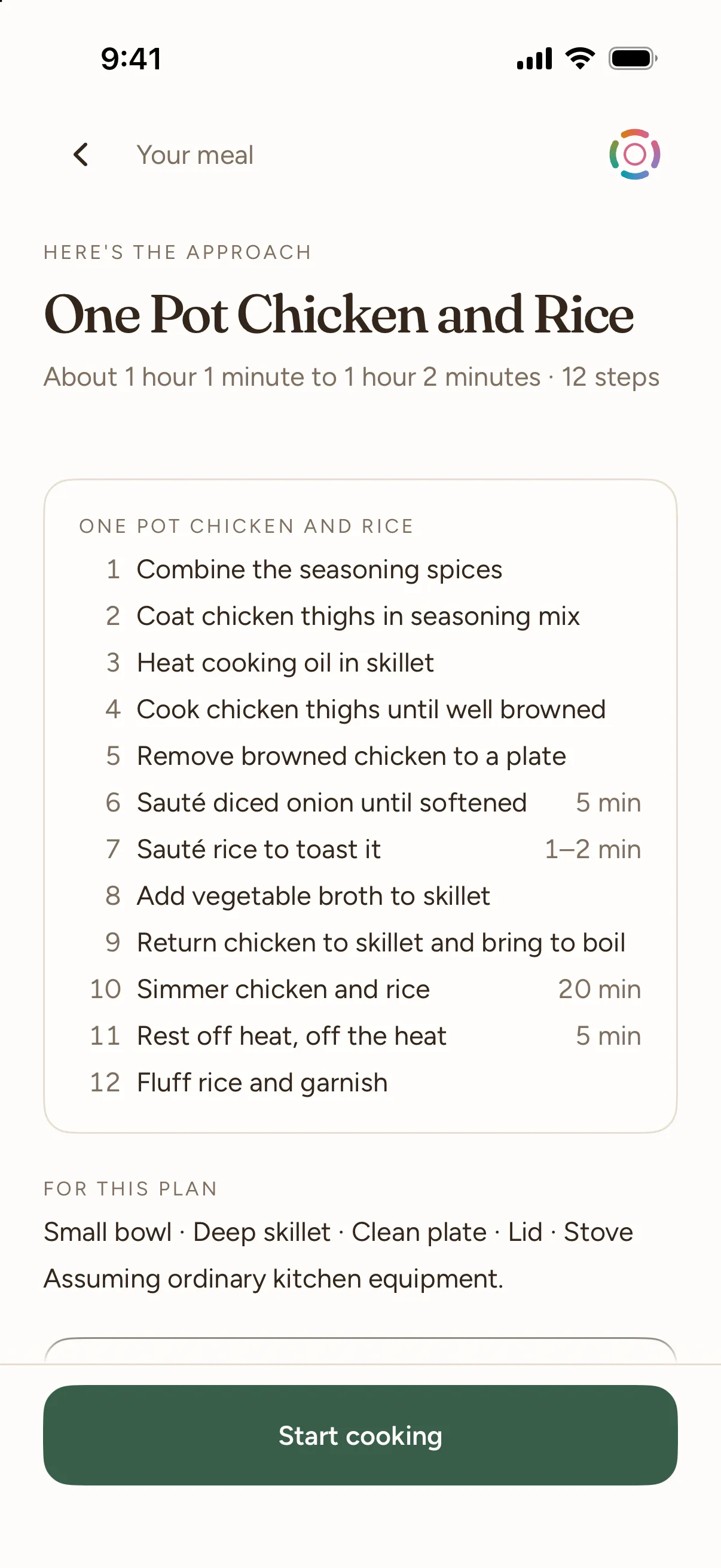
One plan across every dish.
-
03
Cook out loud
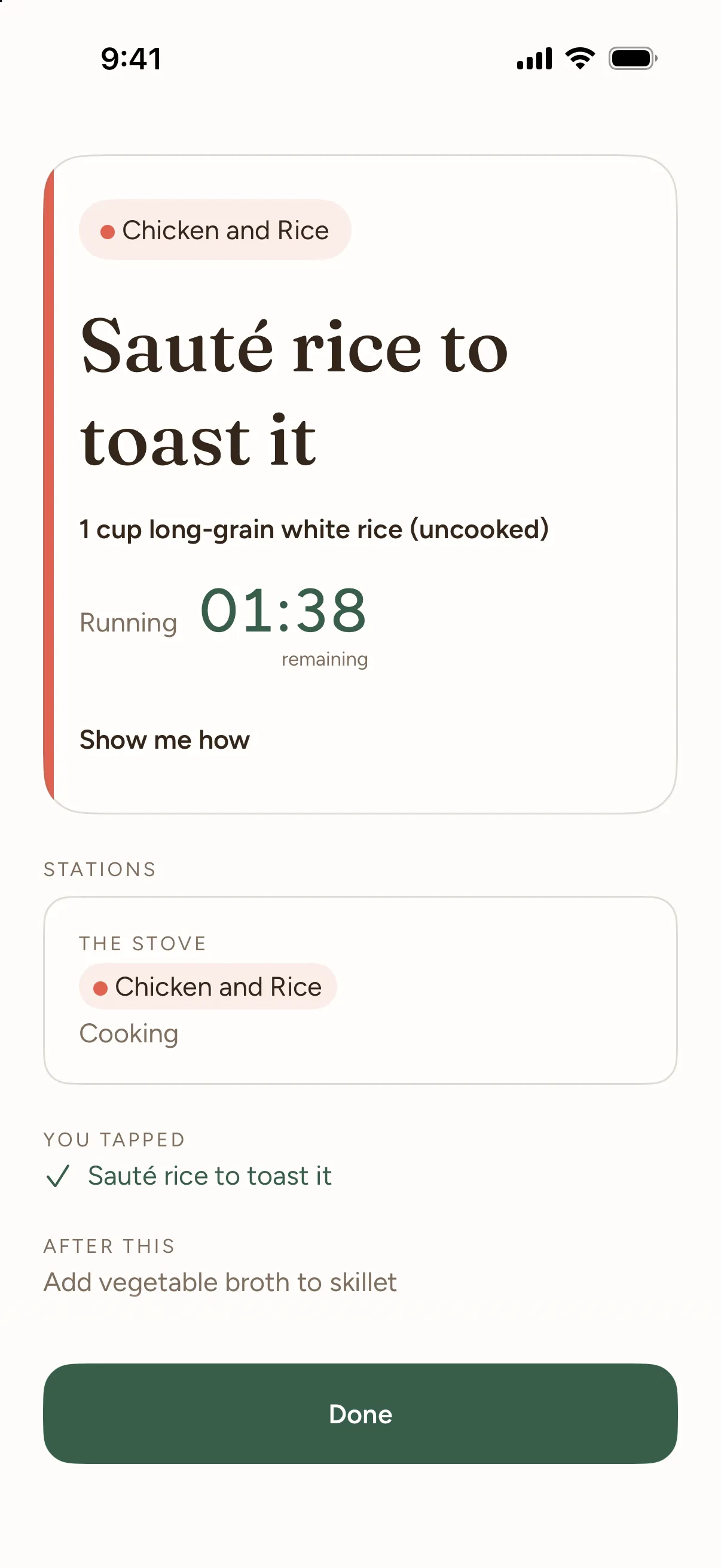
Talk or tap; switch any time.


For the whole meal
Three recipes. One dinner.
Add several recipes to one meal and Kre plans them together, aiming to have them ready at the same time. On iPad, your saved recipes sit beside the one you're reading.

Your place stays here
Cook hands-free, or tap if you prefer
No more scrolling with your nose.
Choose Talk with Kre or Tap through it, and switch any time. Say "hold on" and Kre waits while your timers keep running; say "I'm back" to carry on from your place.

When it's on the table
A quiet little finish.
When the last step is done, Kre says so and sends you off to eat. The recipe stays saved, ready to cook again.

Getting started
Start in seconds.
Paste a recipe's web link and Kre reads it. If a page can't be read, paste the recipe text instead.

In the kitchen
What's next? Ask Kre.
“What's step three?” asked with onion on your hands. Kre answers out loud.
-
You “the crust is done”
Kre Crust's done. Cream layer next: beat the cream cheese and sugar.
-
You “bread's in the oven”
Kre In the oven — about 40 minutes. I'll take the shaping as done.
-
You “sorry, phone call — where was I?”
Kre Ragù's simmering, white sauce is done. Next: butter the dish.
-
You “ok both plated”
Kre Both up — that's dinner.
Example exchanges, written in Kre's voice.
Questions, answered
Where do my recipes come from?
Paste a recipe's web link. If the page can't be read, paste the recipe text instead. Kre never guesses a recipe it couldn't read.
Can it help with more than one dish?
Yes. Add several recipes to one meal and Kre plans them together, aiming to have them ready at the same time. It can't promise an exact minute.
Do I have to talk to it?
No. Choose "Talk with Kre" or "Tap through it" before you start, and switch any time by tapping Kre.
How do I pause it?
Say "hold on", "pause", "hang on" or "wait a sec", or tap Quiet for now. Kre stops offering steps; your timers keep running. Say "I'm back" to carry on.
Can I interrupt it while it's talking?
Yes. Start speaking and Kre stops to listen.
Will my screen lock while I cook?
Not while a meal is live on the cooking screen and the app is open. It can lock again when you leave.
What if I'm missing an ingredient?
Tell Kre. It suggests a swap and the trade-off in a sentence, and carries on with what you choose.
Can I cook for more or fewer people?
Yes. Pick how many people before you start, and the plan is made for that number.
Does Kre know what's happening in my pan?
No. It can't see or taste anything. It goes by what you tell it and by the timers, so tell it when something's done.
Where do my recipe and my voice go?
Recipe and conversation text are processed by Google Gemini, and voice audio by Deepgram. The privacy policy has the details and how to delete your account.
Cook with confidence. Cook with Kre.
Coming to iPhone and iPad. This opens your email app with a note ready to send. We'll write once, at launch, and keep your address for nothing else.
No email app? Our address is on the support page; write with "Notify me" in the subject.